
Automatically decline meetings on holidays
Have Google Calendar decline meetings that land on your public holidays, for new invitations or all meetings.
Updated November 15, 2026
When Autolidays adds holidays as Out of office events, Google Calendar can decline meetings that land on them for you. You choose how under Settings › General › Automatically decline meetings.
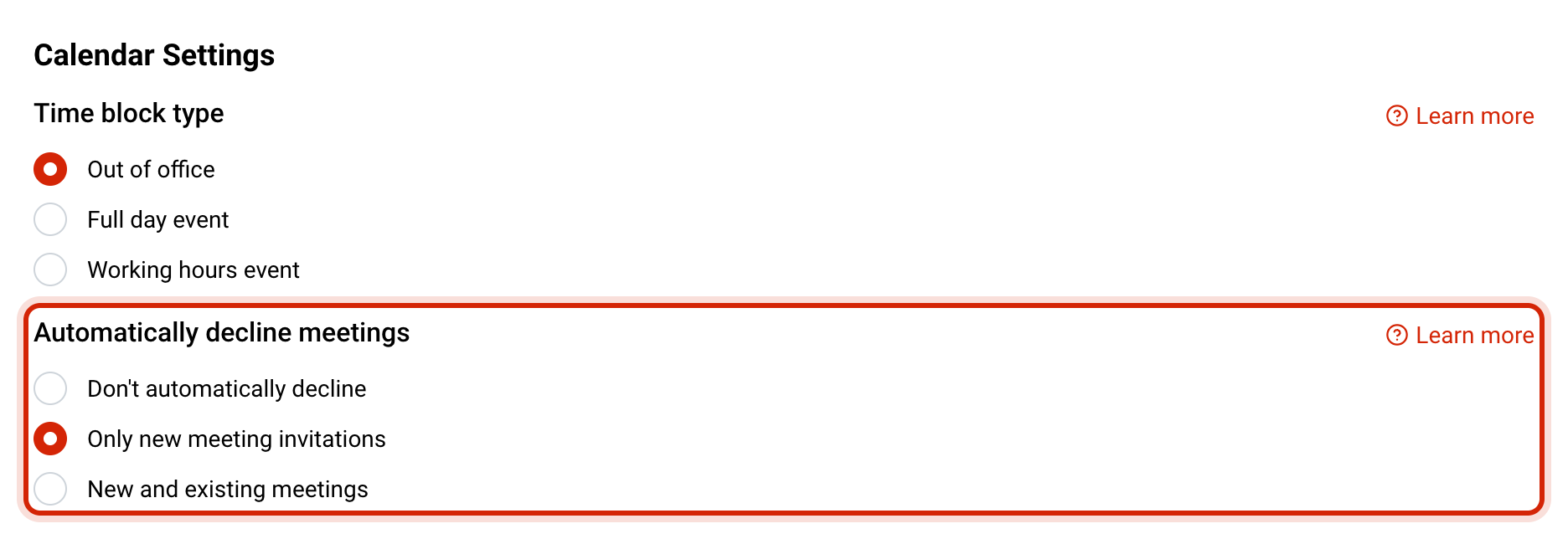
The three options
- Don't automatically decline: the holiday blocks your calendar, but invitations are left for you to answer.
- Only new meeting invitations: invitations sent after the holiday is in your calendar are declined. Meetings you had already accepted stay.
- New and existing meetings: every meeting on the holiday is declined, including ones already in your calendar.
Organizers see a decline from you with Google Calendar's standard out-of-office message.
Why don't I see these options?
Which option to pick
- Most people choose Only new meeting invitations: nobody can book you on a holiday, and anything you already agreed to stays put.
- Choose New and existing meetings if recurring meetings keep landing on holidays and you want them cleared without thinking about it.
- Choose Don't automatically decline if you sometimes work on public holidays and want to decide case by case.
To stop a single holiday from being blocked at all, open your dashboard and select Don't block on its card.
Common questions
Related articles
Out of office, full day or working hours events
Choose whether holidays go into Google Calendar as Out of office, all-day or working hours events.
How to block time off in Google CalendarBlock vacation and days off in Google Calendar with an Out of office event, or a busy all-day event on a personal account.