
Add religious and cultural holidays to Google Calendar
Block Jewish, Islamic, Christian, Orthodox and lunar calendar holidays you observe, on top of your public holidays.
Updated November 15, 2026
Public holidays are only part of the picture. If you observe religious or cultural holidays that aren't official days off where you live, you can have Autolidays block those too, with the same block type and auto-decline settings as your public holidays.
1
Open your dashboard
Sign in to Autolidays and go to your dashboard.
2
Select Add holidays
Next to "Blocking holidays for" your country, select Add holidays.
3
Pick the holidays you observe
Expand a group and tick individual holidays, or use Select all for the whole group.
4
Save
Select Save. The holidays you picked are added to your calendar alongside your public holidays.
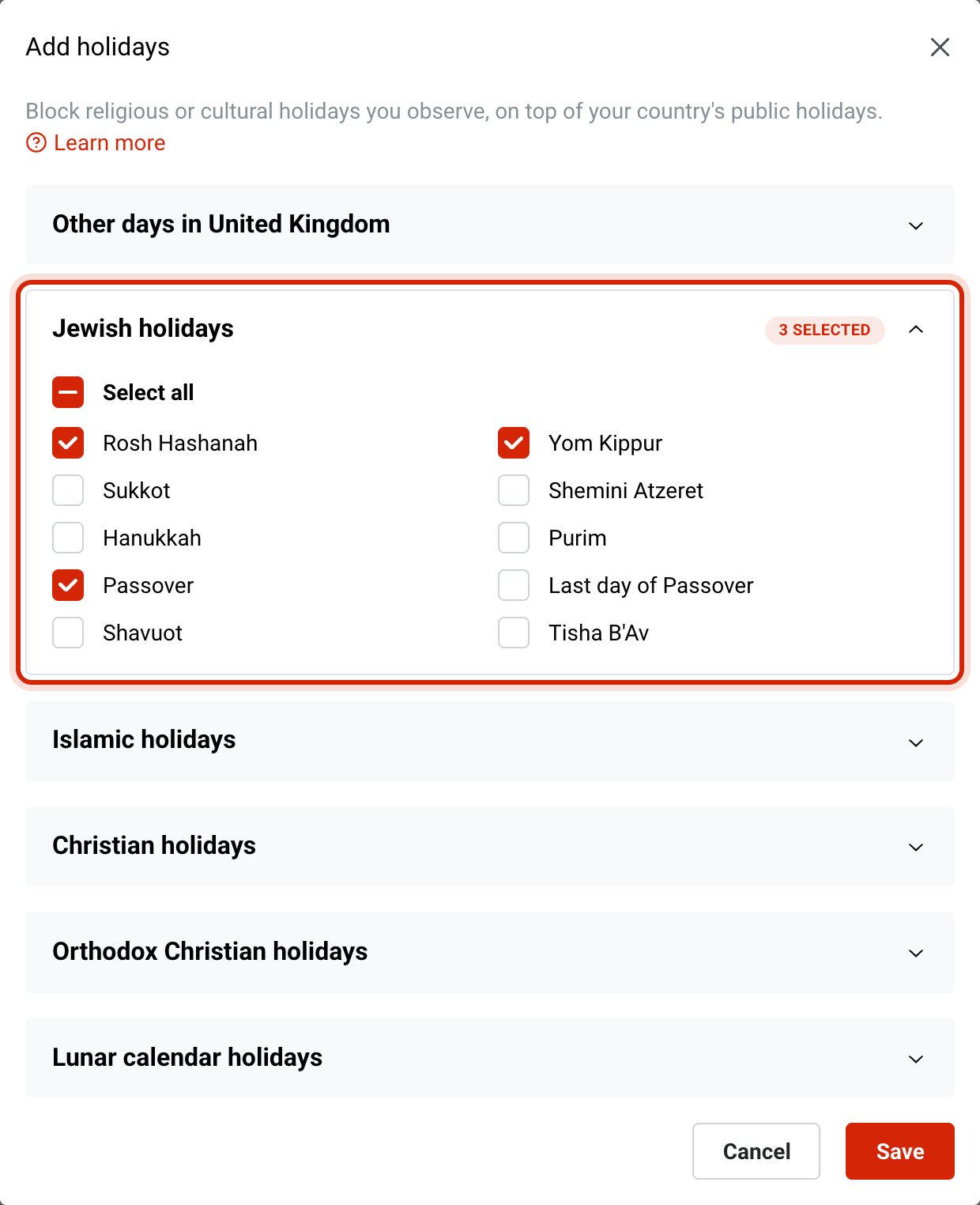
Which holidays you can add
- Jewish holidays: Rosh Hashanah, Yom Kippur, Sukkot, Shemini Atzeret, Hanukkah, Purim, Passover, Last day of Passover, Shavuot and Tisha B'Av.
- Islamic holidays: Islamic New Year, Ashura, Prophet's Birthday, First day of Ramadan, Eid al-Fitr and Eid al-Adha.
- Christian holidays: Ash Wednesday, Maundy Thursday, Good Friday, Easter Sunday, Easter Monday, Ascension Day, Whit Monday, All Saints' Day, Christmas Eve, Christmas Day and St. Stephen's Day.
- Orthodox Christian holidays: Orthodox Christmas, Orthodox Good Friday, Orthodox Easter, Orthodox Easter Monday and Orthodox Pentecost.
- Lunar calendar holidays: Lunar New Year and its second day, Lantern Festival, Dragon Boat Festival and Mid-Autumn Festival.
- Other days in your country: observances, optional holidays and bank holidays in your country that aren't general days off, where we have them.
Dates that move each year, like Eid, Passover or Easter, are calculated for you.
Removing a holiday
Open Add holidays again, untick the holiday and save. Its upcoming events are removed from your calendar.
To stop blocking one of your country's public holidays, for example one you usually work on, select Don't block on its card on your dashboard. That applies every year until you select Block again.